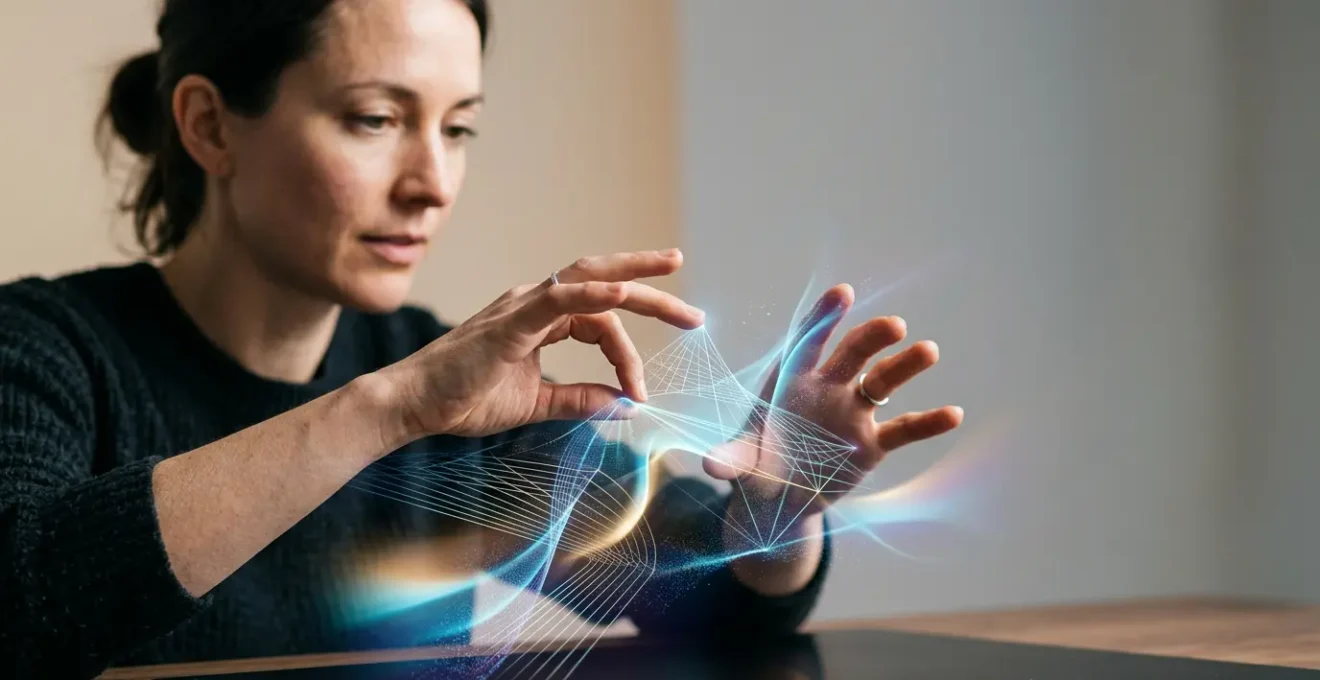
True artistic control in AI lies beyond the prompt, in understanding and shaping the technical process itself.
- Understanding how diffusion models work allows for nuanced control that text prompts alone cannot achieve.
- Mastering accessible tools like Google Colab and training custom models (LoRAs) enables a truly unique and personal visual signature.
Recommendation: Begin your journey from AI user to AI director by exploring a pre-existing Colab notebook to run a custom model, and see how directly manipulating parameters changes your output.
As a digitally curious artist, you’ve likely felt the initial thrill of generative AI. You type a phrase, and a visually stunning image appears. Yet, after countless prompts, a sense of limitation can creep in. The work starts to look generic, the happy accidents feel less like your own, and you begin to suspect you’re merely a sophisticated operator of a magic box, not its master. Many guides focus on crafting the « perfect prompt, » treating the AI as a vending machine where better input equals better output. This approach, however, completely misses the point and is the reason so many artists hit a creative wall.
The conversation often stops at the surface—prompting techniques, style emulation, and which big-name platform to use. But what if the real artistic breakthrough isn’t in the words you type, but in your ability to peek behind the curtain? What if you could treat the AI’s underlying architecture not as a rigid constraint, but as a new kind of raw material, as malleable as clay or code? The path to genuine artistic agency in the age of AI isn’t about becoming a better prompter; it’s about becoming a thoughtful artist-engineer who understands the machine’s inner workings.
This article provides the technical foundations to make that shift. We will explore not just what the tools can do, but how they do it, giving you the knowledge to bend them to your will. We’ll move from basic model mechanics to the practicalities of running custom scripts, confronting the ethical baggage of training data, and finally, integrating these new skills with your classical artistic sensibilities. This is your roadmap from being a consumer of AI to a director of its creative potential.
This guide breaks down the essential steps and concepts that will empower you to move beyond surface-level prompting and engage with AI on a deeper, more creatively fulfilling level. The following sections will provide a clear path from theory to practice.
Summary: A Guide to Deeper AI Artistry Beyond the Prompt
- Why Does Knowing How Diffusion Models Work Change How You Prompt Them?
- How to Use Google Colab to Run Custom Models Without a Computer Science Degree?
- Python Scripts vs RunwayML: Which Provides More Creative Control for Visual Artists?
- The Racial Bias in Your Training Data That Makes Your AI Art Problematic
- When to Learn Python vs When to Wait for No-Code Tools to Mature?
- How to Train Your Own LoRA Model for Recognisably Personal AI Imagery?
- How to Create a Gallery-Ready VR Environment in Unity Without Writing Code?
- Why Do Classically Trained Artists Fail Their First 3 Digital Projects?
Why Does Knowing How Diffusion Models Work Change How You Prompt Them?
At its core, a diffusion model like Stable Diffusion or Midjourney works by starting with pure noise—a field of random pixels—and progressively refining it into an image that matches your text prompt. Think of it as a sculptor who starts with a block of marble and chips away until a figure emerges. The model has been trained on billions of image-text pairs, learning the « concept » of a cat, a sunset, or the style of Van Gogh. When you prompt it, you’re not giving it instructions; you’re pointing it towards a destination in its vast internal « concept space. »
This is where understanding the mechanics becomes a creative superpower. Your prompt is just one of many technical levers you can pull. For instance, the CLIP guidance scale is a parameter that controls how strictly the model must adhere to your prompt. A low guidance scale allows the model to be more « imaginative » and abstract, like a loose watercolour, while a high guidance scale forces it to be literal and precise, like a technical illustration. This single parameter gives you more control over the mood and style of an image than dozens of descriptive words in a prompt ever could.
Case Study: The CLIP Guidance Parameter
Experiments with diffusion models show that adjusting the CLIP guidance scale directly impacts the creative output. Raising the scale forces the solver to perform more steps with greater precision, resulting in sharp, detailed scenes that closely match the prompt. Lowering it allows for more abstract, atmospheric results where the prompt is merely a suggestion. This demonstrates how understanding a single technical parameter translates abstract artistic intent (e.g., « I want this to feel dreamlike ») into a concrete setting, moving beyond the limitations of descriptive language.
Furthermore, prompting is a skill built on a specific vocabulary. Research has shown that even when users can evaluate the quality of a prompt, they often lack the style-specific vocabulary needed to create one effectively. Knowing the difference between « Baroque » and « Rococo, » or « anisotropic filtering » and « chromatic aberration, » is a form of technical knowledge. Understanding the model means you start thinking in terms of the concepts it understands, not just the words you know. This is the first step toward speaking the machine’s language.
How to Use Google Colab to Run Custom Models Without a Computer Science Degree?
The idea of running « custom models » can sound intimidating, evoking images of complex code and expensive hardware. However, tools like Google Colab have completely democratised this process. Colab is essentially a free-to-use, cloud-based programming environment that lets you run powerful Python scripts directly in your web browser, using Google’s powerful GPUs. For artists, this means you can access and experiment with cutting-edge AI models without needing a high-end computer or a computer science degree.
The key is the « Colab notebook. » These are pre-packaged, shareable documents containing both explanatory text and live code blocks. The creative coding community has produced thousands of notebooks for everything from training your own models to running obscure generative algorithms. Your job as an artist isn’t to write the code from scratch, but to open a notebook, identify the 3-4 fields for creative input—like your text prompt, a random seed value, and the output folder—and press « Run. »
This simple, hands-on process demystifies the technology and gives you a tactile sense of control. You’re no longer just typing words into a black box; you’re an active participant executing a process.
Getting started is far simpler than you might think. By following a few straightforward steps, you can be running your first custom model in under 30 minutes, unlocking a world of artistic possibilities that commercial tools simply don’t offer.
- Access a Notebook: Find a pre-existing Colab notebook for a model you want to try, like a specific Stable Diffusion variant or a LoRA training script.
- Identify Critical Fields: Locate the 3-4 key cells for input: typically the model path, your text prompt, seed values for reproducibility, and the output directory.
- Run Setup Cells: Click ‘Run’ on the initial code blocks in sequence. This installs the necessary software dependencies on the cloud machine.
- Input Your Parameters: Enter your creative ideas into the designated fields. You are changing the *variables*, not the underlying code.
- Execute and Monitor: Run the main generation cell. Depending on complexity, this can take 5-15 minutes. You can often watch the image being refined in real-time.
- Download Your Work: Once complete, your generated artwork can be downloaded directly from the Colab interface to your computer.
–
Which Provides More Creative Control for Visual Artists: Python Scripts vs RunwayML?
Once you’ve tasted the freedom of running a custom model in Colab, you’ll face a strategic choice: do you stick with user-friendly, no-code platforms like RunwayML, or do you venture deeper into the world of Python scripting? There’s no single right answer; the choice depends entirely on your artistic goals and where you need the most control. No-code tools offer speed and accessibility, while Python provides unparalleled depth and customisation.
No-code platforms are brilliant for rapid prototyping, style exploration, and collaborating with non-technical partners. Within hours, you can generate high-quality visuals, test concepts for a client, or explore different aesthetic directions. However, this speed comes at the cost of control. You are fundamentally limited to the parameters and models the platform’s developers have chosen to expose in the graphical user interface (GUI). You can’t invent a new algorithm or connect the tool to a live data stream.
Python, on the other hand, grants you maximum creative control. It’s the language of choice for gallery-ready generative artwork, interactive installations, and data-driven projects. With Python, you can write your own algorithms, integrate real-time data from APIs (like weather patterns or social media trends), and generate procedural systems that evolve over time. This is how you create work that is truly unique and conceptually rigorous. The trade-off is a steeper learning curve, but the creative ceiling is virtually unlimited.
The following table, based on insights from platforms like Coursera that teach creative coding, breaks down the key differences to help you decide which path aligns with your artistic practice. As creative coding courses for designers show, the choice is less about technical ability and more about artistic intent.
| Criteria | Python Scripts | No-Code Tools (e.g., RunwayML) |
|---|---|---|
| Learning Curve | Steep (100+ hours for creative coding proficiency) | Gentle (operational within hours) |
| Creative Control | Maximum: Custom algorithms, live data integration, procedural generation | Limited to GUI parameters and presets |
| Ideal Use Case | Gallery-ready artwork, installations, generative systems, data-driven projects | Rapid prototyping, client previews, style exploration |
| Integration Capabilities | Can integrate real-time data streams (weather APIs, stock feeds, social trends) | Constrained to tool’s built-in features |
| Output Resolution | Unlimited (hardware-dependent) | Often capped by platform limits |
| Best For | Conceptual artists, installation work, research-based practice | Commercial illustration, quick iterations, non-technical collaborators |
The Racial Bias in Your Training Data That Makes Your AI Art Problematic
Gaining technical control over AI tools isn’t just a creative pursuit; it’s an ethical imperative. When you use a model like Stable Diffusion, you are not working with a neutral tool. You are working with a system trained on vast, uncurated scrapes of the internet, complete with all its societal biases, stereotypes, and historical inequities. Treating the model as a black box means you risk unknowingly perpetuating and amplifying this harm in your own work.
The evidence of this bias is stark and undeniable. When a prompt is neutral (e.g., « a portrait of a person »), models overwhelmingly default to generating images of white people. The problem runs deeper than just default outputs. A 2025 study in AI & Society found that White people were more accurately depicted in AI-generated images than people of color across all tested racial contexts. Specifically, Black females showed the lowest generation accuracy, meaning the model is less capable of rendering them with nuance and fidelity, a direct reflection of their underrepresentation and misrepresentation in the training data.
As an artist, you have a responsibility to be aware of this. Relying solely on prompts to « fix » bias is a shallow solution. True artistic agency involves understanding that the training data is your raw material. By acknowledging its flaws, you can begin to make conscious, critical choices. This might involve using specific prompting strategies to counteract defaults, seeking out models trained on more diverse datasets, or even training your own models to reflect a more equitable worldview. This critical engagement is a form of technical practice and is essential for creating meaningful, responsible art.
Your Action Plan: An Artist’s Audit for Bias in AI Outputs
- Neutral Prompt Test: Does my AI work default to a single race or ethnicity when prompts are generic (e.g., « a scientist, » « a beautiful person »)?
- Stereotype Check: When prompting for professions or locations, does the output reinforce harmful stereotypes (e.g., all doctors are men, all images of Africa depict poverty)?
- Historical Narrative: Is my portrayal of ‘history’ or ‘tradition’ exclusively centered on Western or colonial narratives?
- Modifier Test: Have I actively tested the model’s ability to generate diverse representations by adding explicit demographic modifiers to see how it responds?
- Document and Act: Document these findings and consider proactive steps, such as training custom models or developing an inclusive prompting strategy, to counteract the bias.
When to Learn Python vs When to Wait for No-Code Tools to Mature?
The decision to learn a programming language like Python can feel monumental for an artist. The immediate question is often: « Is it worth the effort, or should I just wait for no-code tools to get better? » While no-code platforms will undoubtedly continue to improve, learning Python offers a level of creative agency and conceptual depth that a GUI-based tool may never be able to replicate. The choice depends on your long-term artistic ambitions.
Waiting for no-code tools to mature is a valid strategy if your primary goal is commercial efficiency and rapid iteration. You will be able to produce high-quality work quickly. However, you will always be dependent on the features provided by a third-party platform. You are a consumer of technology, not its director. Learning Python, conversely, is an investment in your own creative sovereignty. It’s about building the capacity to create tools, not just use them.
As a course description from The New School’s Creative Coding program notes, Python has become a standard for artists and technologists working across a huge range of disciplines:
Python has emerged as a frequent tool of choice for creative technologists, artists, designers, practitioners, and researchers working in a wide variety of disciplines. It has become an industry standard platform in domains such as data visualization, IoT, computer vision, robotics, natural language processing, and machine learning.
– The New School Course Catalog, Creative Coding: Python course description, The New School
The path to proficiency isn’t as daunting as it seems. It doesn’t require a full computer science degree.
The 100-Hour Creative Coding Path for Artists
Specialised online courses, such as the University of Michigan’s ‘Creative Coding for Designers Using Python’ on Coursera, demonstrate that a focused learning commitment can yield powerful results. By investing approximately 100 hours across a series of project-based courses, artists can gain practical skills in particle systems, vector fields, and algorithmic design. This approach transforms theoretical knowledge into tangible creative outputs, proving that advanced digital art techniques are accessible to those with a dedicated, practice-based mindset.
How to Train Your Own LoRA Model for Recognisably Personal AI Imagery?
If the ultimate goal is to break free from the generic « AI aesthetic » and infuse your work with a truly personal signature, then training your own model is the final frontier. While training a full model from scratch is computationally expensive, a technique called LoRA (Low-Rank Adaptation) has made it incredibly accessible for individual artists. A LoRA is a small, lightweight file that « fine-tunes » a large base model (like Stable Diffusion) to understand a new, specific concept or style—namely, yours.
Training a LoRA is the most direct way to inject your artistic DNA into the machine. You do this by feeding it a curated dataset of your own work. Whether your practice involves oil painting, sculpture, or digital illustration, you can teach the AI to understand and replicate the unique characteristics of your style: your brushstrokes, your colour palette, your compositional tendencies. Once trained, you can invoke your style with a unique trigger word, blending it with any other concept the base model understands. Imagine prompting for « a futuristic cityscape in the style of [Your Unique Trigger Word]. »
This process transforms the AI from a tool of mimicry into a genuine collaborator that has learned directly from you. It requires a methodical approach to curating your data and setting the right parameters, but the result is a level of personal expression that is impossible to achieve with prompting alone.
The steps to creating your own LoRA are as follows:
- Curate Your Dataset: Collect 20-40 high-quality images of your own artwork. This ensures creative and legal authenticity.
- Preprocess Images: Crop and resize your images to a consistent resolution (e.g., 1024×1024 for SDXL) to ensure the model learns efficiently.
- Set Training Parameters: In a tool like a Colab notebook, set key values like learning rate and training steps. This is a process of experimentation to find what works for your style.
- Define a Trigger Word: Choose a unique, memorable word that will activate your LoRA during prompting.
- Manage Captions: Use autocaptioning tools to describe the content of each image, but remove generic style tags so the model learns your unique interpretation.
- Test and Iterate: Monitor the training process and test the output at different checkpoints to find the perfect balance between style strength and flexibility.
How to Create a Gallery-Ready VR Environment in Unity Without Writing Code?
Acquiring technical skills doesn’t always mean you have to become a master coder. A crucial part of the artist-engineer mindset is learning how to smartly stack different tools—some code-based, some not—to achieve a professional, gallery-ready outcome. Creating an immersive Virtual Reality (VR) environment is a perfect example of a high-level project that is now accessible without writing a single line of C# code.
The workflow combines the power of AI image generation with the accessibility of modern game engines. You can start by using AI tools, perhaps even your own custom LoRA model, to generate a series of unique, seamless textures. These could be otherworldly landscapes, strange biological surfaces, or impossible architectural materials. These AI-generated assets become the foundational visual elements of your world.
Next, you import these textures into a real-time 3D engine like Unity. In the past, making anything interactive in Unity required deep knowledge of programming. Today, however, tools like Unity Visual Scripting (formerly Bolt) or PlayMaker provide a node-based interface. Instead of writing code, you connect visual blocks that represent actions, triggers, and logic. You can use this to apply your AI textures to 3D shapes, create simple interactive behaviours (e.g., « when the viewer looks at this object, play a sound »), and design the lighting and atmosphere of your space.
Case Study: The No-Code VR Art Workflow
Artists are now successfully creating professional-grade VR installations through a hybrid, no-code workflow. They begin by generating unique textures in Midjourney or Stable Diffusion. These assets are then imported into Unity, where they are applied to 3D primitives like spheres and cubes. Using a visual scripting tool like PlayMaker, they create interactive galleries where viewers can navigate a space and trigger events without any traditional programming. This workflow makes immersive art accessible to artists who are comfortable with 3D modeling concepts but are unfamiliar with C#, bridging the gap between digital generation and spatial experience.
This approach allows you to focus on the artistic direction—composition, lighting, and user experience—while leveraging powerful technical tools in an intuitive way. It’s a testament to the idea that technical depth is about understanding processes, not just about writing code.
Key Takeaways
- Artistic agency in AI comes from technical understanding, not just better prompting.
- Accessible tools like Google Colab and LoRA training allow artists to move from being users to creators of their own AI processes.
- Engaging with the technical and ethical layers of AI, including data bias, is a crucial part of a modern artistic practice.
Why Do Classically Trained Artists Fail Their First 3 Digital Projects?
Many classically trained artists who venture into the digital realm, especially with AI, experience a frustrating cycle of failure. Their initial projects often feel soulless, derivative, or technically clumsy, despite their deep knowledge of composition, colour theory, and art history. This failure rarely stems from a lack of artistic skill, but from a fundamental misunderstanding of the new medium. They try to apply the logic of physical media to a digital process, treating the AI as a high-tech paintbrush rather than a collaborative system.
The core issue is often a reliance on descriptive language alone, born from the « prompt-as-incantation » myth. An artist can describe a scene with poetic detail, but if they lack the specific, almost technical, vocabulary of art history and digital graphics that the model was trained on, the output will miss the mark. As research into the skill of prompt engineering shows, this is a non-intuitive skill that must be acquired through practice, combining artistic knowledge with an understanding of the model’s vocabulary.
The most successful transition comes when artists stop trying to replace their existing skills and instead seek to integrate them with a hybrid workflow. Rather than aiming for a perfect, final image straight from the AI, they use AI as one step in a larger process. They might generate base elements with AI and then composite, paint over, or manipulate them in Photoshop. Or, as true artist-engineers, they might use code to generate structures that are impossible for a prompt-based AI to create, maintaining full control over the conceptual core of their work.
Case Study: The Hybrid Workflow Solution
An artist, inspired by the parametric musical notations of Roman Haubenstock-Ramati, attempted to create similar visual compositions using DALL-E. Despite extensive prompting, the AI failed to capture the conceptual essence and systemic beauty of the original pieces. Frustrated, the artist turned to Python and the Pillow library to write a simple script that could generate the art procedurally. This code-based approach, which did not use machine learning, succeeded where the prompt-based AI failed. This demonstrates that for some conceptual goals, combining artistic understanding with direct technical control yields far more authentic results, offering a powerful path for classically trained artists to maintain their creative agency.
By embracing a mindset of experimentation and viewing code and parameters as just another set of tools in your studio, you can bridge the gap between your classical training and the vast potential of the digital medium. Your journey starts not by abandoning your skills, but by augmenting them. Begin today by exploring a Google Colab notebook, auditing your outputs for bias, and taking the first step toward becoming an artist-engineer.